


CircleUp - Live Video Chat
0.00.00 Reviews
App Specs
- Version
- 1.4.1
- Updated On
- License
- Free
- Downloads
- 50,000+
- Developer
- moroccan organica
- Categories
- Social
- Platform
- Android
Screenshots

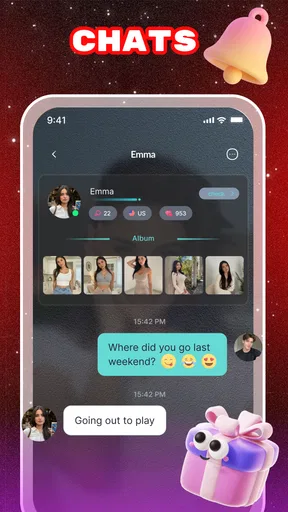



 Analysis by AppCompare
I approached CircleUp as a social app built around live video chat, and my first impression was that its appeal depends less on collecting content and more on the feeling of being present with other people. That makes it a very different kind of download from a messaging app or a conventional social feed. You are not opening it mainly to scroll through carefully prepared posts; you are opening it when conversation, spontaneity, and face-to-face contact matter more.
The app comes from moroccan organica and is available free of charge, with optional purchases ranging from $0.99 to $599.99 per item. It is intended for mature users aged 17 and over. That combination immediately tells me who should think carefully before installing it: adults who are comfortable with live social interaction may find a useful casual meeting place, while anyone looking for a quiet, private, or tightly controlled communication tool may prefer a standard messenger.
How CircleUp feels when live conversation is the priority
I find CircleUp most useful when I want a conversation to feel immediate rather than squeezed between other phone tasks. Before opening a live social app, I’d decide how much attention I can give and choose a setting where I’m comfortable being on camera. That simple choice helps set expectations for the exchange and leads naturally to how its real-time flow differs from messaging.
A quick path from opening the app to social contact
Live video applications are judged harshly on their opening moments. If the route from launch to a conversation feels confusing, the social energy disappears before it begins. In my experience, CircleUp makes the most sense when I treat it as an on-demand social room rather than as a profile-management platform. The value is in deciding whether I want to interact now, not in spending a long time arranging a perfect online identity.
That focus can make the app feel direct. It also creates a trade-off: live services rarely offer the same sense of control as asynchronous messaging. In a text app, I can draft a reply, leave a conversation, and return when I have time. A video chat asks for attention immediately. Before opening it, I would make sure I am somewhere with reasonable lighting, a usable connection, and enough privacy to speak comfortably. That small preparation has more impact on the experience than any decorative interface detail.
For a realistic everyday example, imagine finishing work and wanting a short conversation instead of another long message thread. CircleUp can fit that moment when I have ten or fifteen minutes and want to see and hear someone rather than exchange updates in fragments. It is less suitable if I am commuting through a noisy place, sharing a room, or trying to conserve every bit of battery and mobile data.
What affects perceived speed
With live video, “fast” is not simply a matter of how quickly an icon appears. I notice speed through the time it takes to enter a conversation, the smoothness of the video, and how quickly the other person’s audio catches up when conditions change. Those parts depend on the network and the devices at both ends, so I would not judge the app solely by a single session.
Worth Reading Before You Choose

EA SPORTS FC Mobile 26 Is a Bigger Football Game, but It Takes Time

Flipboard Shows What News Apps Must Do Beyond the Feed

Switching to Android Auto Means Rethinking Your Driving Routine

Google Calendar Makes a Crowded Week Easier to Manage

Ludo King Makes the Most of the Minutes Between Plans

Baby Panda World Brings Quick Play to Modern Phones, but Its Game Library Feels Busy
A useful habit is to begin important conversations on a stable Wi-Fi connection and move to mobile data only when necessary. If a call starts feeling delayed, I would first check whether other downloads, cloud backups, or video streams are competing for bandwidth. That is a practical CircleUp tip because live video has little tolerance for congestion, even when ordinary browsing still feels fine.
I also prefer to close unrelated apps before a longer session. This is not because I expect every background process to cause trouble, but because live camera and microphone use are demanding compared with reading messages. Reducing distractions helps me distinguish an app problem from a device or connection problem. If the conversation is casual, switching off video temporarily can also be a sensible recovery step when the network becomes unstable, provided the other participant is comfortable with that change.
Handling heavier moments
The most demanding use case is not a quick greeting. It is a longer video conversation while the phone is already busy, the connection is inconsistent, or the device is warm. Camera processing, audio handling, screen activity, and network traffic all happen together. On an older phone, that combination can make the experience feel less comfortable even if the app itself opens normally.
CircleUp supports devices running Android 8.0 or later, which gives it a broad compatibility window but also means the actual experience can vary considerably between phones. A newer device with a strong battery and current hardware should have more breathing room than an older model close to its limits. I would not install it on a nearly full phone and then use that setup as a fair test of the app’s performance.
My practical workflow for a demanding session is simple: charge the phone beforehand, close large background tasks, use a stable connection, and avoid placing the device on a soft surface that traps heat. These steps are especially useful if I expect to stay in a conversation for a while. They do not change the service itself, but they reduce the avoidable friction that can be mistaken for poor reliability.
There is another heavy-use moment that deserves attention: switching rapidly between social sessions, notifications, and other apps. Multitasking can be convenient, but it may also interrupt the rhythm of a live conversation. I would rather finish or leave a session cleanly than repeatedly jump away and return. For people who use their phone as a work device, that distinction matters. CircleUp is easier to enjoy when it has a dedicated time slot instead of competing with several urgent tasks.
Reliability is more than staying connected
For me, reliability means more than whether a call remains open. It also includes whether I understand what is happening when a connection weakens, whether returning to the app feels straightforward, and whether I can recover without repeating the entire process. Live video will always be sensitive to network changes, so I look for graceful recovery rather than expecting perfect continuity everywhere.
If a session becomes choppy, I would avoid tapping repeatedly or restarting the phone immediately. First I would wait briefly, check the connection, and reduce competing activity. If the app has been pushed into the background, I would return to it calmly and see whether the conversation resumes. If not, closing and reopening the session is a more controlled next step. This approach is useful because repeated impatient actions can create extra confusion, especially when the network is already slow.
Recovery also matters when the phone receives a call, an alert, or a system interruption. A live conversation is inherently more vulnerable to interruptions than text chat. I would use a quiet setting and silence nonessential notifications when I need an uninterrupted exchange. That is not a criticism unique to CircleUp; it is part of choosing video over asynchronous communication. Still, it is an important limitation for anyone expecting the same resilience as a basic messaging application.
I would also keep expectations realistic about social reliability. A live community can feel more immediate than a contact list, but it may not provide the predictable availability of a private conversation with someone I already know. If my goal is to reach one specific person at a guaranteed time, a familiar messenger or scheduled call is the better tool. CircleUp makes more sense when discovery and spontaneous interaction are part of the reason for using it.
Device limits, privacy habits, and comfort
The Android requirement of 8.0 or newer is worth checking before installation. Compatibility alone does not guarantee a comfortable video experience. The phone still needs enough free storage for normal operation, a camera that performs acceptably in the available light, and a battery that can handle a live session. I would pay particular attention to older devices with weak batteries or a history of slowing down during camera use.
Lighting is an underrated part of video chat. Sitting with a window or lamp in front of me usually produces a more usable image than placing the strongest light behind my head. A stable surface also helps; holding the phone continuously can become tiring and lead to a shaky picture. These are small adjustments, but they improve the conversation without requiring any special accessory.
I would be careful about where and with whom I use any mature-rated live social app. A 17+ content rating is a clear reminder that this is not a children’s communication space. I would avoid showing documents, addresses, workplace screens, or other personal details in the camera background. I would also leave a conversation if it becomes uncomfortable rather than feeling obliged to remain polite. The best live-chat experience depends on maintaining boundaries as actively as maintaining the connection.
Parents choosing apps for younger family members should not treat CircleUp as appropriate simply because it is free to download. The mature age classification should guide that decision. For adults, the same rating means I would approach the service as an open social environment and use ordinary caution: share selectively, keep identifying information private, and remember that a live interaction can feel more familiar than it really is.
Where the purchase model changes the decision
The free entry point lowers the barrier to trying the app, but the optional purchase range deserves attention before spending money. The highest listed item is $599.99, which is a substantial amount for a social application. I would not make any purchase impulsively during an exciting conversation or because an in-app prompt creates pressure to continue interacting.
My advice is to decide in advance whether I am willing to spend anything, then review each purchase carefully through the platform’s payment controls. If I only want to test the basic experience, I would begin with no spending at all. That gives me a clearer idea of whether the live format, community atmosphere, and performance fit my habits before money becomes part of the decision.
This model may suit users who enjoy optional social extras and are comfortable setting their own limit. It is a poor match for anyone who wants a completely predictable communication cost. A regular messaging app, a conventional voice service, or a subscription with a clearly defined ceiling may be easier to budget. The important point is not that optional purchases automatically make CircleUp undesirable; it is that the free label should not be mistaken for a guarantee that every possible interaction has no cost.
How it compares with familiar alternatives
Compared with ordinary text messaging, CircleUp offers immediacy at the expense of flexibility. Text lets me answer quietly, communicate in noisy places, and keep a written record that I can scan later. Live video gives me tone, facial expression, and a stronger sense of presence, but it asks for more concentration and exposes more of my surroundings.
Compared with a private video-call tool used with friends or colleagues, CircleUp is more appealing when I want a social experience rather than a scheduled appointment. A private call is usually better for sensitive subjects, planned meetings, family conversations, or anything that requires dependable access to a known person. I would choose CircleUp for lighter, more spontaneous contact and a conventional call app for conversations where identity, timing, and privacy are central.
Compared with a feed-based social network, the app’s live focus can feel more active and less passive. I am not simply consuming posts while waiting for something interesting to appear. At the same time, a feed is easier to browse in short fragments and often gives me more control over when I respond. Someone who enjoys silent scrolling may find CircleUp demanding, while someone tired of endless feeds may appreciate the directness of live interaction.
The most useful comparison is therefore not “which app has more features?” but “what kind of social energy do I want right now?” CircleUp is strongest when I want a real-time exchange and have the environment, connection, and attention to support it. It is weaker when I need quiet, predictable, private, or highly asynchronous communication.
Who will get the most from it
I can recommend CircleUp to adults who like meeting people through live video, enjoy spontaneous conversation, and do not mind adapting their usage to network and device conditions. It can also work for someone who finds text conversations too flat and wants more human presence without arranging a formal video meeting every time.
I would be more cautious recommending it to people with limited data plans, aging phones, unreliable connectivity, or very strict spending limits. The same applies to anyone who dislikes appearing on camera or who wants a service centered on close contacts only. For those users, text chat, voice calls, or a private video platform may offer a calmer and more predictable experience.
The app has passed the 50K-plus install mark, so it is not an obscure experiment with no visible adoption. Still, that figure should not be read as a promise that every user will find the right social fit immediately. Live communities are personal: the quality of an experience depends heavily on timing, expectations, and the people encountered during use.
Current software context and final judgement
CircleUp is currently at version 1.4.1 and was released on Apr 28, 2026. I mention that because version context matters when judging a live service: an early-stage product can feel more changeable than a long-established communication platform, and users should expect the experience to evolve. I would keep the app updated through the normal platform process, especially when using a service where connection handling and device compatibility matter.
My final performance verdict is measured rather than absolute. CircleUp has a clear purpose, and that purpose can be enjoyable when my connection is steady, my phone is prepared, and I genuinely want live social contact. Its biggest strengths are immediacy and presence. Its main friction points are the demands of video, the dependence on a suitable device and network, the mature social setting, and the need to manage optional spending carefully.
The best reason to install CircleUp is not simply that it offers video; it is that you want spontaneous human interaction and accept the responsibility that comes with a live format. I would try the free experience in a controlled setting, avoid purchases until I understand how I use it, and judge it after several different network and time-of-day conditions rather than after one brief session. For the right adult user, that is a sensible way to discover whether this social app belongs in a regular routine.
In my view, CircleUp is worth considering as a casual live-video destination, not as a replacement for every other communication tool. I would keep a private messenger for trusted contacts, a dependable call service for planned conversations, and use this app when spontaneity is the feature I actually want. That distinction makes the recommendation honest: it is a focused social option, and it works best when its live nature matches the moment.
Pros
- Quickly meet new people through live video conversations.
- Simple interface makes starting a chat easy for first-time users.
- Live interaction feels more personal than text-based social apps.
- Useful filters can help users discover relevant chat partners.
- Short sessions make it easy to join without a long commitment.
Cons
- Video chats may use significant mobile data and battery power.
- The quality of conversations depends heavily on who is online.
- Some features may require in-app purchases or paid credits.
- Public video interactions can raise privacy and personal-safety concerns.
- Availability of suitable chat partners may vary by time and region.
FAQs for CircleUp - Live Video Chat
What is CircleUp - Live Video Chat used for?
CircleUp - Live Video Chat is designed for meeting and communicating with people through live video conversations. After creating a profile, users can browse available contacts, start video chats, and interact in a more personal way than with text messaging alone. It may be useful for social discovery, casual conversations, and making new connections, although the quality of each interaction depends on the people available in the app.
Is CircleUp - Live Video Chat free to download and use?
The application can generally be downloaded without an upfront charge, but some features may depend on in-app purchases, virtual credits, subscriptions, or other paid options. Before starting a conversation, it is worth checking the current pricing shown in the app store and reviewing the purchase screen carefully. Availability of free video chats and premium functions may vary by account, location, and app version.
Does CircleUp require a camera, microphone, or a strong internet connection?
Because CircleUp focuses on live video communication, it normally requires access to your device’s camera and microphone for full functionality. A stable Wi-Fi or mobile-data connection is also important, since weak connectivity can cause delays, blurry video, dropped calls, or audio problems. Users who prefer not to appear on camera should review whether the app offers text or audio-based alternatives before joining a chat.
Is CircleUp - Live Video Chat safe for meeting strangers?
As with any social video-chat platform, users should be careful when interacting with people they do not know. Avoid sharing your home address, passwords, financial information, private documents, or other sensitive details. Use the app’s blocking and reporting tools if available, and end conversations that make you uncomfortable. Parents and guardians should also consider whether the service is appropriate for younger users and review its age requirements.
What should I check before downloading CircleUp on Android or iPhone?
Before downloading CircleUp, check that your device meets the application’s current operating-system requirements and that you have enough storage space for installation and updates. Review the latest store description, permissions, privacy information, user ratings, and subscription terms. It is also sensible to confirm whether the app is officially available in your country and whether video-chat features consume significant mobile data during regular use.


